Domain Location Published: 10 Sep, 2025
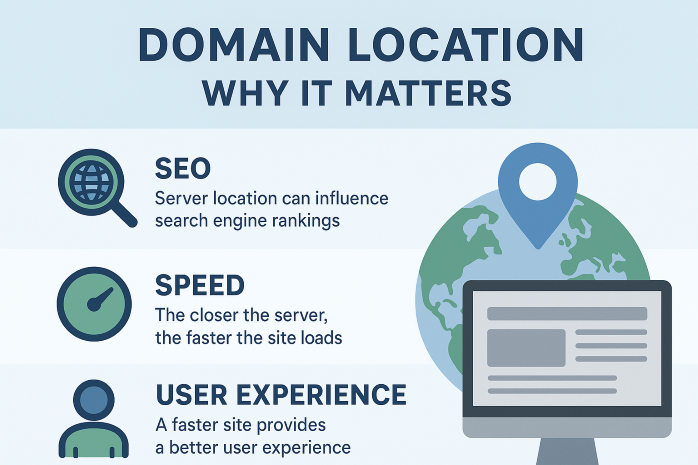
Domain Location: Why It Matters for Your Website's Success
When building a website, most business owners focus on design, content, and functionality. However, one critical factor often overlooked is domain location—the geographical location of your web server. This aspect of your online presence can significantly impact your website's performance, search engine rankings, and user experience.
Server locations around the world impact website performance and user experience
What is Domain Location?
Domain location refers to the physical location of the server where your website is hosted. While your domain name might be registered through a provider in one country, your website could be hosted on a server located in an entirely different part of the world.
This geographical distance between your target audience and your server can create latency issues, affecting how quickly your website loads for visitors. In today's fast-paced digital environment, where users expect instant access to information, even milliseconds of delay can impact engagement and conversion rates.
"Website speed is not just a technical concern—it's a business imperative. A one-second delay in page load time can lead to a 7% reduction in conversions." - Akamai Technologies
How Domain Location Affects Website Performance
The physical distance between your web server and your website visitors affects latency—the time it takes for data to travel from the server to the user's browser. The greater the distance, the higher the latency, which results in slower page load times.
Real-World Impact of Server Location
Consider this scenario: if your business primarily serves customers in Australia, but your website is hosted on a server in the United States, each request from an Australian user must travel across the Pacific Ocean and back. This round trip can add significant delays to your website's loading time.
Research shows that 40% of visitors will abandon a website that takes more than 3 seconds to load. Furthermore, Google has confirmed that page speed is a ranking factor in search results, meaning slower websites may rank lower than their faster competitors.
Domain Location and SEO Implications
Search engines like Google consider website speed as a ranking factor, and server location plays a crucial role in determining load times for geographic-specific audiences. While Google claims that server location is not a direct ranking factor, it indirectly affects SEO through:
- Page load speed: Faster loading websites rank higher
- User experience: Lower bounce rates and longer session durations signal quality content
- Local SEO: Country-specific top-level domains (like .co.uk or .com.au) can boost local rankings
- Targeted content: Server location can help deliver geographically relevant content

Server location impacts SEO performance and local search visibility
Choosing the Right Server Location
Selecting the optimal server location requires careful consideration of your target audience, business goals, and technical requirements. Here are key factors to consider:
1. Identify Your Primary Audience
Determine where the majority of your website visitors are located. If your business serves a global audience, consider using a Content Delivery Network (CDN) to distribute your content across multiple servers worldwide.
2. Consider Legal and Compliance Issues
Some countries have specific data protection laws that may require you to host website data within national borders. For example, the European Union's GDPR regulations may influence where you can store EU citizens' data.
3. Evaluate Hosting Options
Many hosting providers offer server locations across different continents. Research providers that have data centers in or near your target regions to ensure optimal performance.
4. Implement a CDN Solution
Content Delivery Networks (CDNs) store cached versions of your website on multiple servers around the world. When a user visits your site, they're served content from the nearest server, significantly reducing load times.
Case Study: The Impact of Server Migration
An Australian e-commerce company recently moved their hosting from a United States-based server to one located in Sydney. The results were remarkable:
- Page load time decreased from 3.2 seconds to 0.8 seconds for Australian visitors
- Bounce rate reduced by 37%
- Conversions increased by 19%
- Organic search traffic from Australia grew by 42% over six months
This case demonstrates how strategic server placement can dramatically improve website performance and business outcomes.
"After moving our servers closer to our primary customer base, we saw immediate improvements in engagement metrics and a significant boost in sales. The investment in proper server location paid for itself within the first month." - Case Study Participant
Tools to Analyze and Improve Your Domain Location
Several tools can help you evaluate your current server location and its impact on performance:
- Pingdom Tools: Measures load times from various geographical locations
- GTmetrix: Provides detailed speed analysis with recommendations
- Google PageSpeed Insights: Evaluates performance for both mobile and desktop
- CDN Providers: Services like Cloudflare, Akamai, or Amazon CloudFront can dramatically improve global performance

Website performance monitoring tools help optimize server location and speed
Conclusion
Domain location is a critical factor in your website's overall performance and success. While it might not be the most glamorous aspect of website management, its impact on user experience, SEO, and conversion rates cannot be overstated.
By strategically selecting server locations based on your target audience, implementing CDN solutions for global reach, and regularly monitoring performance metrics, you can ensure that your website delivers optimal performance to all visitors, regardless of their geographical location.
In today's competitive digital landscape, every millisecond counts. Don't let something as fixable as server location hinder your online success. Take the time to evaluate your current setup and make adjustments where necessary—your visitors (and your bottom line) will thank you.